
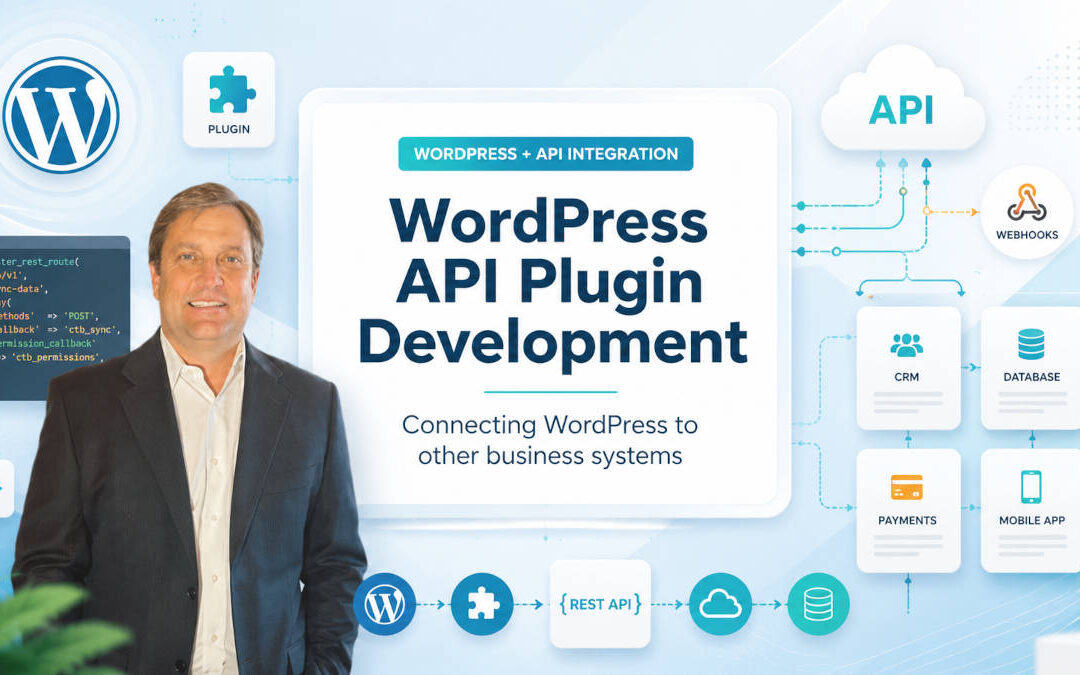
WordPress is commonly used to manage websites, blog posts, landing pages, online stores, memberships, forms, and other public-facing content.
However, many businesses eventually need WordPress to do more than display information.
A website may need to send leads to a customer relationship management system, retrieve inventory from a supplier, synchronize customer accounts with an internal database, process payments through an outside platform, or provide content to a mobile application.
These connections are usually handled through an application programming interface, commonly called an API.
A custom WordPress API plugin can give a business much more control over how WordPress communicates with other software. Instead of forcing an existing integration plugin to handle an unusual workflow, a developer can build a plugin around the company’s actual requirements.
What Is a WordPress API Plugin?
A WordPress API plugin is a custom plugin that allows WordPress to exchange information with another application or expose WordPress information through a controlled interface.
Depending on the project, the plugin might:
- Send information from WordPress to an outside API
- Retrieve information from another platform
- Create custom WordPress REST API endpoints
- Receive webhook notifications
- Synchronize records between two systems
- Process and transform data
- Authenticate users or applications
- Trigger actions when something changes
- Provide information to a mobile or web application
WordPress includes a REST API that allows applications to communicate with a WordPress website by sending and receiving JSON data. Public content is generally available publicly, while private information requires authentication or explicit permission.
A custom plugin can extend that system to support information and workflows that are unique to a business.
What Is an API?
An API is a defined way for one software system to communicate with another.
For example, a mobile app may request a list of articles from WordPress. WordPress returns the requested information in a structured format that the app can understand.
An e-commerce website might send a completed order to an accounting platform. A customer portal might retrieve account information from a CRM. A form might submit a lead to an estimating system.
The user does not normally see the API connection. The systems exchange information behind the scenes.
An API request commonly contains:
- The address of the API endpoint
- The type of request
- Authentication credentials
- Headers
- Parameters
- Submitted data
The response might include:
- Requested records
- A confirmation message
- A new record ID
- An error message
- A status code
- Pagination information
APIs make it possible to connect systems without giving each application direct access to the other application’s database.
Common Uses for WordPress API Plugins
WordPress API development can support many different types of business workflows.
Sending Leads to a CRM
A custom plugin can send contact-form or quote-request information directly to a CRM.
The plugin might:
- Create a contact
- Create a sales opportunity
- Assign the lead to an employee
- Add tags
- Record the marketing source
- Attach uploaded documents
- Start an automated email sequence
This can eliminate manual data entry and reduce the chance that a lead will be overlooked.
Synchronizing Products and Inventory
A business may manage products in an inventory, warehouse, or enterprise resource planning system rather than directly inside WordPress.
A custom integration can update:
- Product names
- Prices
- SKUs
- Inventory quantities
- Product descriptions
- Images
- Availability
- Shipping information
The synchronization might run on a schedule, respond to webhook notifications, or update information whenever an administrator requests it.
Connecting a Mobile App
WordPress can serve as a content-management system for an iPhone or Android app.
A mobile app might retrieve:
- Articles
- Events
- Locations
- Product information
- Staff profiles
- Videos
- Help documentation
- Custom post types
A custom plugin can create additional endpoints for app-specific information, account functions, or workflows that are not available through the standard WordPress REST API.
Processing Payments
A custom API plugin can connect WordPress to a payment provider when an existing e-commerce plugin does not fit the workflow.
The integration might:
- Create payment requests
- Generate invoices
- Store customer payment references
- Process recurring charges
- Verify transaction statuses
- Receive payment notifications
- Update an order after payment
- Issue refunds
Payment integrations require careful security design. Sensitive card details should normally be handled directly by a compliant payment provider rather than stored in WordPress.
Connecting WordPress to an Internal Database
A company may have an older internal application that contains customer, project, inventory, inspection, or scheduling information.
A WordPress plugin can communicate with that system through an API rather than connecting the public website directly to the internal database.
This separation can provide better control over which information is exposed and how requests are validated.
Integrating Artificial Intelligence Services
A WordPress plugin can send content or user requests to an artificial intelligence service.
Possible uses include:
- Creating content summaries
- Categorizing submissions
- Extracting information from documents
- Generating product descriptions
- Answering questions from approved data
- Moderating submitted content
- Translating text
- Assisting customer-support staff
The plugin should control what information is sent, protect API credentials, handle service failures, and clearly define how generated information will be reviewed.
WordPress REST API vs. an External API
WordPress API plugin development generally involves one or both of two directions.
Extending the WordPress REST API
In this situation, another application sends a request to WordPress.
For example:
https://example.com/wp-json/codeteamblue/v1/projects
A mobile app, customer portal, reporting tool, or external service could use this endpoint to request information from WordPress.
WordPress refers to the URL definition as a route and the callback that handles the request as an endpoint. Custom routes should be registered during the rest_api_init action using register_rest_route().
Calling an External API From WordPress
In the other direction, WordPress sends a request to another application.
For example, WordPress might send a new form entry to a CRM:
https://api.example-crm.com/v1/leads
WordPress provides an HTTP API with functions such as:
wp_remote_get();
wp_remote_post();
wp_remote_request();
These functions allow plugins to make HTTP requests without depending directly on a particular networking library or server configuration.
Many integrations work in both directions. WordPress sends information to an outside system and also receives updates or status notifications.
Why Build a Custom Plugin?
Thousands of existing WordPress plugins connect to popular business platforms.
An existing plugin is often the best starting point when it already supports the required workflow. Purchasing and configuring a supported plugin may cost much less than creating a custom integration.
However, off-the-shelf plugins can become limiting when the business needs:
- Custom field mappings
- Unusual approval workflows
- Proprietary software
- Multiple connected platforms
- Special authentication
- Complex data transformations
- Bidirectional synchronization
- Custom logging
- Industry-specific requirements
- Account-specific permissions
- High-volume data processing
An existing plugin may send a name and email address to a CRM but not include the location, project type, assigned salesperson, uploaded documents, or advertising campaign.
A custom plugin can be built around those exact requirements.
A Basic WordPress API Plugin Structure
A small custom plugin may begin with one primary PHP file.
For example:
codeteamblue-api-integration/
    codeteamblue-api-integration.php
The main file should contain a plugin header:
<?php
/**
 * Plugin Name: Code Team Blue API Integration
 * Description: Connects WordPress to an external business system.
 * Version: 1.0.0
 * Author: Code Team Blue
 */

defined( 'ABSPATH' ) || exit;
The ABSPATH check prevents the file from being executed directly outside WordPress.
As the plugin grows, it may be divided into separate files or classes:
codeteamblue-api-integration/
    codeteamblue-api-integration.php
    includes/
        class-api-client.php
        class-rest-controller.php
        class-webhook-handler.php
        class-scheduler.php
        class-logger.php
    admin/
        class-settings-page.php
A larger plugin should separate API requests, administrative settings, REST endpoints, scheduled tasks, logging, and business logic.
That structure makes the plugin easier to test and maintain.
Creating a Custom WordPress REST API Endpoint
The following simplified example creates a custom endpoint:
<?php

add_action( 'rest_api_init', 'ctb_register_project_route' );

function ctb_register_project_route() {
	register_rest_route(
		'codeteamblue/v1',
		'/projects',
		array(
			'methods'             => WP_REST_Server::READABLE,
			'callback'            => 'ctb_get_projects',
			'permission_callback' => 'ctb_can_view_projects',
		)
	);
}

function ctb_can_view_projects() {
	return current_user_can( 'manage_options' );
}

function ctb_get_projects( WP_REST_Request $request ) {
	$projects = array(
		array(
			'id'     => 101,
			'name'   => 'Mobile App Development',
			'status' => 'active',
		),
		array(
			'id'     => 102,
			'name'   => 'Customer Portal',
			'status' => 'planning',
		),
	);

	return rest_ensure_response( $projects );
}
The endpoint would be available at:
https://example.com/wp-json/codeteamblue/v1/projects
Current WordPress route registration requires a permission_callback. Public endpoints can use __return_true, but private endpoints should perform a meaningful permission check.
Using __return_true simply to make development easier can expose private information if the endpoint is placed into production without being secured.
Adding Parameters and Validation
An API endpoint may need parameters.
For example:
/wp-json/codeteamblue/v1/projects/101
The route can accept a project ID:
add_action( 'rest_api_init', 'ctb_register_single_project_route' );

function ctb_register_single_project_route() {
	register_rest_route(
		'codeteamblue/v1',
		'/projects/(?P<id>\d+)',
		array(
			'methods'             => WP_REST_Server::READABLE,
			'callback'            => 'ctb_get_single_project',
			'permission_callback' => 'ctb_can_view_projects',
			'args'                => array(
				'id' => array(
					'required'          => true,
					'validate_callback' => function ( $value ) {
						return is_numeric( $value ) && (int) $value > 0;
					},
					'sanitize_callback' => 'absint',
				),
			),
		)
	);
}

function ctb_get_single_project( WP_REST_Request $request ) {
	$project_id = $request->get_param( 'id' );

	return rest_ensure_response(
		array(
			'id'   => $project_id,
			'name' => 'Example Project',
		)
	);
}
Validation determines whether the submitted information is acceptable. Sanitization cleans or normalizes the value before it is used.
WordPress recommends validating and sanitizing input and escaping information when it is displayed.
Calling an External API From WordPress
The following example sends a lead to an outside API:
function ctb_send_lead_to_crm( array $lead ) {
	$api_url = 'https://api.example-crm.com/v1/leads';
	$api_key = get_option( 'ctb_crm_api_key' );

	$response = wp_remote_post(
		$api_url,
		array(
			'timeout' => 15,
			'headers' => array(
				'Authorization' => 'Bearer ' . $api_key,
				'Content-Type'  => 'application/json',
			),
			'body'    => wp_json_encode(
				array(
					'name'    => sanitize_text_field( $lead['name'] ?? '' ),
					'email'   => sanitize_email( $lead['email'] ?? '' ),
					'message' => sanitize_textarea_field( $lead['message'] ?? '' ),
				)
			),
		)
	);

	if ( is_wp_error( $response ) ) {
		return $response;
	}

	$status_code = wp_remote_retrieve_response_code( $response );
	$body        = wp_remote_retrieve_body( $response );
	$data        = json_decode( $body, true );

	if ( $status_code < 200 || $status_code >= 300 ) {
		return new WP_Error(
			'ctb_api_error',
			'The CRM rejected the request.',
			array(
				'status_code' => $status_code,
				'response'    => $data,
			)
		);
	}

	return $data;
}
WordPress uses wp_remote_post() for HTTP POST requests, and the same response-helper functions can be used to retrieve the body, headers, and response code. External APIs commonly require an API key or another authentication token.
The real integration may also need to handle:
- Network failures
- Timeouts
- Invalid JSON
- Expired credentials
- Duplicate submissions
- Rate limits
- Partial failures
- Unexpected response formats
A successful HTTP connection does not necessarily mean the requested operation succeeded. The plugin should inspect the response code and returned data.
Receiving Webhooks
A webhook allows another platform to notify WordPress when an event occurs.
For example, a payment provider might send a webhook when:
- A payment succeeds
- A payment fails
- A subscription renews
- A refund is issued
- A customer updates a payment method
A CRM might send a webhook when:
- A contact changes
- A lead is assigned
- An opportunity closes
- A customer status changes
The WordPress plugin can expose a custom endpoint that receives the notification and updates the appropriate record.
A webhook endpoint should verify that the request came from the expected service. Depending on the provider, verification may use:
- A shared secret
- A request signature
- A bearer token
- A timestamp
- An allowed IP range
- A provider-specific verification process
The plugin should not trust a webhook simply because it was sent to a difficult-to-guess URL.
Authentication and Authorization
Authentication answers the question:
Who or what is making this request?
Authorization answers a different question:
What is the authenticated user or application allowed to do?
These are separate concerns.
WordPress supports cookie authentication for requests made by logged-in users, and REST requests made from within WordPress can use REST nonces to protect against cross-site request forgery.
Other integrations may use:
- Application passwords
- API keys
- Bearer tokens
- OAuth
- Signed requests
- Shared webhook secrets
- Custom authentication gateways
A valid credential should not automatically provide access to everything.
For example, a mobile user might be authenticated but should still be allowed to retrieve only that user’s account information.
Nonces Are Not Complete Access Control
WordPress nonces help verify that a request was intentional and originated from an expected context.
However, a nonce is not a replacement for authentication or permission checks. WordPress explicitly warns that nonces should not be relied upon for authentication, authorization, or access control.
A secure request may need both:
- A valid nonce
- A capability check such as
current_user_can()
The appropriate protections depend on whether the request comes from a logged-in administrator, public visitor, mobile app, remote server, or third-party service.
Protecting API Credentials
API keys and secrets should not be committed to a public code repository or displayed in browser-side JavaScript.
Depending on the hosting environment, credentials may be stored in:
- Server environment variables
- A protected configuration file
- WordPress options with restricted administrative access
- A secrets-management service
- A hosting platform’s secure configuration system
The plugin should avoid writing complete credentials to logs or exposing them in error messages.
Credentials should also be replaceable without editing the plugin’s source code.
Sanitizing Input and Escaping Output
Information received through an API should be treated as untrusted, even when it comes from a familiar platform.
The plugin should validate that required fields exist and contain appropriate values.
Examples include:
$name    = sanitize_text_field( $input['name'] ?? '' );
$email   = sanitize_email( $input['email'] ?? '' );
$project = absint( $input['project_id'] ?? 0 );
$message = sanitize_textarea_field( $input['message'] ?? '' );
When information is displayed, it should be escaped for the context in which it appears.
Examples include:
echo esc_html( $project_name );
echo esc_attr( $field_value );
echo esc_url( $website_url );
Escaping output helps prevent malformed or malicious data from being interpreted as executable page content.
Handling API Errors
External services fail.
An API may be temporarily unavailable because of maintenance, network problems, rate limits, expired credentials, or an internal error.
A reliable plugin should plan for failure rather than assuming every request will succeed.
The plugin may need to:
- Set a reasonable timeout
- Detect
WP_Errorresponses - Inspect HTTP status codes
- Validate response formats
- Retry selected failures
- Avoid retrying permanent errors
- Record useful diagnostic information
- Notify an administrator
- Preserve unsent records
- Prevent duplicate submissions
For example, repeatedly retrying an invalid API key will not solve the problem. Repeating a timed-out request might be appropriate, but only if the integration can prevent duplicate records.
Designing for Duplicate Requests
Duplicate records are a common integration problem.
A user may click a submit button twice. A webhook provider may retry a notification. A scheduled job may restart after a timeout. The sending platform may not know whether the previous request succeeded.
An integration can reduce duplicates by using an idempotency key or another unique reference.
For example, WordPress might send:
website-lead-98427
The receiving system can record that identifier and refuse to create a second lead when the same request is repeated.
The exact method depends on the outside API.
Logging API Activity
A custom integration should provide enough logging to diagnose problems.
Useful information may include:
- Date and time
- Type of request
- Destination service
- WordPress record ID
- External record ID
- Response code
- Error category
- Number of retry attempts
- Processing duration
Logs should not contain:
- Complete passwords
- Full API keys
- Payment-card information
- Unnecessary personal information
- Authentication tokens
- Sensitive document content
The amount of logging should match the importance and sensitivity of the integration.
Logs also need a retention policy. A busy synchronization process can generate a large amount of data.
Scheduled Synchronization
Some integrations need to run automatically.
Examples include:
- Importing inventory every hour
- Updating prices overnight
- Sending queued records every few minutes
- Retrieving completed orders
- Checking shipment statuses
- Expiring old account data
WordPress includes WP-Cron for scheduling time-based tasks. WP-Cron checks for due tasks when the website receives page traffic; it does not run continuously like a traditional operating-system cron service. This means a scheduled event can run late on a low-traffic website.
A plugin can schedule an event during activation:
register_activation_hook( __FILE__, 'ctb_activate_plugin' );

function ctb_activate_plugin() {
	if ( ! wp_next_scheduled( 'ctb_sync_inventory' ) ) {
		wp_schedule_event( time(), 'hourly', 'ctb_sync_inventory' );
	}
}

add_action( 'ctb_sync_inventory', 'ctb_run_inventory_sync' );

function ctb_run_inventory_sync() {
	// Retrieve and process updated inventory.
}
The event should be removed when the plugin is deactivated:
register_deactivation_hook( __FILE__, 'ctb_deactivate_plugin' );

function ctb_deactivate_plugin() {
	$timestamp = wp_next_scheduled( 'ctb_sync_inventory' );

	if ( $timestamp ) {
		wp_unschedule_event( $timestamp, 'ctb_sync_inventory' );
	}
}
WordPress recommends unscheduling plugin tasks when they are no longer needed. Otherwise, WordPress may continue attempting to execute them.
For time-sensitive or high-volume integrations, a real server cron job or a separate queue-processing service may be more reliable than depending entirely on page traffic.
Processing Large Imports
A plugin should not attempt to import tens of thousands of records during one normal browser request.
The request may exceed:
- PHP execution limits
- Memory limits
- Web-server timeouts
- API rate limits
- Database connection limits
A better approach is to divide the work into batches.
For example:
- Retrieve 100 records.
- Process and save them.
- Record the synchronization position.
- Schedule the next batch.
- Continue until the import is complete.
This approach makes it easier to resume after an error and prevents one failed request from losing all progress.
Large or mission-critical imports may be better handled by a dedicated queue worker or separate integration service.
Creating an Administrative Settings Page
A custom plugin may need a settings page where an administrator can enter:
- API address
- Account identifier
- API key
- Synchronization schedule
- Default status
- Field mappings
- Notification address
- Logging preferences
Only authorized administrators should be allowed to view or change these settings.
Sensitive values should not be displayed in full after they are saved. A plugin might show only the last few characters of an API key and provide a separate button to replace it.
The plugin should also validate configuration before enabling automatic synchronization.
Mapping Fields Between Systems
Two platforms rarely use identical field names and formats.
WordPress may store:
first_name
last_name
billing_phone
project_type
The CRM may expect:
givenName
familyName
primaryPhone
serviceCategory
A custom plugin must map these fields correctly.
The integration may also need to convert:
- Dates
- Time zones
- Currency values
- Boolean values
- Status codes
- Country abbreviations
- Phone numbers
- Product identifiers
- User roles
- File formats
Field mapping should be documented. Otherwise, future developers may not understand why a particular value is transformed.
Testing a WordPress API Plugin
API integrations should be tested on a staging website before being added to a live business system.
Testing should cover more than the successful path.
A test plan should include:
- Valid requests
- Missing required fields
- Invalid authentication
- Expired credentials
- Timeouts
- Empty responses
- Invalid JSON
- Duplicate requests
- Large records
- Special characters
- Unexpected status codes
- API rate limits
- Partial failures
- Service outages
Developers can use tools such as Postman, command-line HTTP clients, API-provider test accounts, WordPress debugging logs, and automated tests.
Scheduled events can also be inspected and executed using WP-CLI cron commands.
Use a Staging Environment
A staging environment is a separate copy of the website used for development and testing.
It allows the team to test:
- Plugin updates
- New API versions
- Authentication changes
- Data mappings
- WordPress upgrades
- PHP upgrades
- Error handling
- Synchronization behavior
The staging system should use test accounts and test endpoints whenever possible.
Sending test data into a live CRM, accounting system, or payment platform can create confusing or costly records.
Monitoring After Launch
An integration can work correctly during testing and still fail later.
The outside platform may:
- Change its API
- Expire a credential
- Introduce a new rate limit
- Modify a response field
- Remove an older endpoint
- Experience an outage
- Change its authentication process
The WordPress site may also receive a PHP, plugin, or server update that affects the integration.
Important integrations should be monitored.
Monitoring might include:
- Alerts after repeated failures
- Daily synchronization summaries
- Missing-record checks
- Queue-size warnings
- Credential-expiration reminders
- Response-time monitoring
- Comparison reports between systems
A successful API integration is an ongoing software component, not a one-time configuration task.
Maintaining a Custom Plugin
A custom WordPress API plugin should have documentation that explains:
- What systems it connects
- Which direction information moves
- What triggers each request
- How authentication works
- Where settings are stored
- How fields are mapped
- Which scheduled events exist
- How errors are logged
- How failed records are retried
- Who owns each external account
The code should also use version control.
When an API provider announces a new version, the plugin can be updated and tested before the older version is removed.
When an Existing Plugin Is Better
Custom development is not always necessary.
An established integration plugin may be better when:
- It already supports the required fields
- It is actively maintained
- It has a strong security record
- It works with the current WordPress and PHP versions
- Its licensing cost is reasonable
- It includes reliable support
- The workflow is standard
Businesses should avoid spending thousands of dollars recreating a mature integration that already exists.
The custom option becomes more attractive when the existing tools require extensive workarounds or do not support the company’s core process.
When WordPress Should Not Be the Integration Layer
WordPress can handle many API integrations, but it is not always the best place to run them.
A separate application or middleware service may be more appropriate when the system requires:
- Near-real-time synchronization
- Continuous background workers
- Very large data imports
- Complex message queues
- Extensive data transformation
- Strict uptime requirements
- Advanced audit trails
- Large numbers of connected platforms
- High-frequency API requests
- Sensitive enterprise data
- Specialized compliance controls
In those situations, WordPress might communicate with the integration service instead of communicating directly with every platform.
This keeps the public website simpler and moves the most demanding processing into an environment designed for it.
WordPress as Part of a Larger Software System
WordPress does not have to control every part of the application.
A business might use:
- WordPress for marketing content
- WooCommerce for online orders
- A CRM for sales
- An accounting platform for invoicing
- A mobile app for field employees
- A custom application for customer accounts
- An integration service to connect everything
A custom WordPress API plugin can act as the WordPress component within that larger architecture.
The goal is not to force every business process into WordPress. The goal is to allow WordPress to exchange the right information securely and reliably.
Frequently Asked Questions About WordPress API Plugin Development
Does WordPress Have a Built-In API?
Yes. WordPress includes a REST API that provides structured access to posts, pages, users, taxonomies, media, and other WordPress information. Developers can also register custom routes and endpoints for plugin-specific features.
Can WordPress Connect to Any API?
WordPress can connect to most APIs that are accessible through standard HTTP requests and use a supported authentication method.
The difficulty depends on the API documentation, authentication, data formats, rate limits, and complexity of the required workflow.
Can a WordPress Plugin Receive Webhooks?
Yes. A plugin can create a custom REST endpoint that accepts webhook requests.
The plugin should verify the webhook signature or credential before processing the submitted information.
Is a Custom WordPress API Plugin Secure?
It can be secure when it uses appropriate authentication, authorization, validation, sanitization, output escaping, credential protection, logging, and server configuration.
A custom plugin is not secure simply because it is private or because the endpoint URL is difficult to guess.
Can WordPress Power a Mobile App?
Yes. A mobile application can retrieve WordPress content through the REST API, and a custom plugin can add app-specific endpoints.
Applications with complex real-time, offline, messaging, or account requirements may also need a separate backend service.
Can WordPress Synchronize With a CRM?
Yes. A plugin can send leads and customer activity to a CRM, retrieve account updates, or receive webhook notifications.
The integration should define which platform is the primary source for each field to prevent systems from repeatedly overwriting one another.
How Much Does a WordPress API Plugin Cost?
The cost depends on the number of systems, endpoints, fields, workflows, authentication requirements, administrative tools, error handling, testing, and ongoing maintenance.
A one-way form integration may be relatively simple. A bidirectional inventory, customer, order, and payment synchronization system can be a substantial software project.
Does a Custom API Plugin Need Ongoing Maintenance?
Usually, yes.
WordPress, PHP, hosting environments, external APIs, authentication systems, and business workflows change over time. Important integrations should be monitored, documented, tested, and periodically updated.
WordPress API Plugin Development at Code Team Blue
A WordPress website often begins as a stand-alone marketing platform.
As the business grows, it may need to exchange information with CRMs, mobile apps, databases, payment services, accounting platforms, inventory systems, artificial intelligence tools, and custom software.
A carefully designed API plugin can automate those connections and eliminate repetitive manual work.
At Code Team Blue, we work with WordPress plugins, REST APIs, mobile applications, payment gateways, databases, custom web applications, legacy systems, and third-party software integrations.
We can help determine whether an existing plugin will meet the requirement, whether a custom WordPress integration is appropriate, or whether the connection should be handled through a separate application.
The best integration is not simply one that works during a demonstration. It should be secure, documented, maintainable, and prepared for the failures and changes that occur in real business systems.