
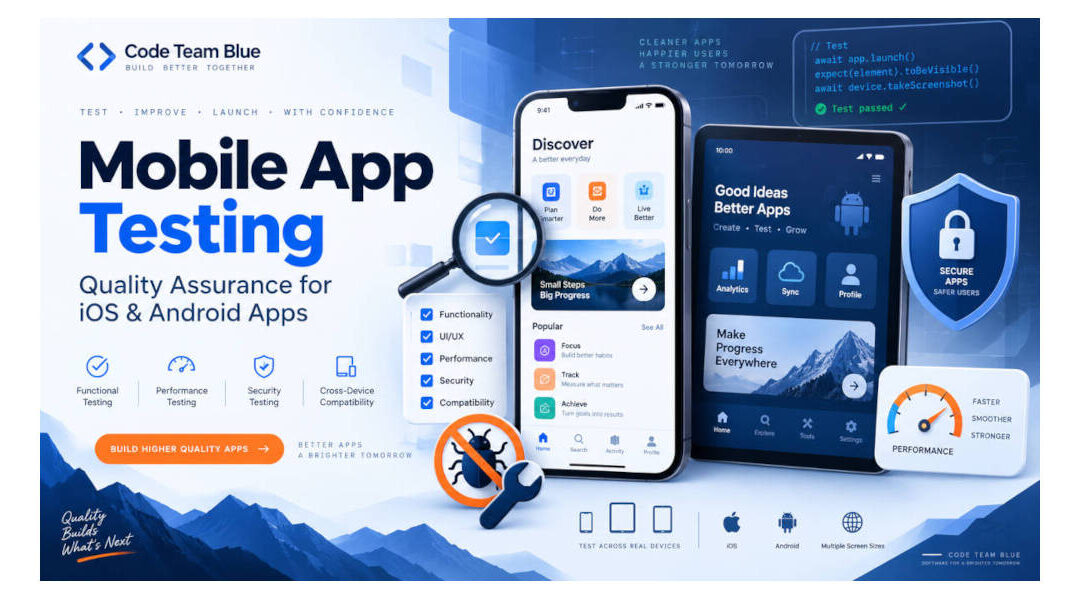
A Complete Guide to Building Reliable iOS and Android Applications
Developing a mobile application involves much more than writing code and publishing it to the Apple App Store or Google Play. Before an application reaches its intended audience, it must be tested to ensure that it functions correctly, performs reliably, protects user information, and delivers a consistent experience across different devices.
Mobile app testing is one of the most important stages of the software development lifecycle. It helps identify bugs, compatibility issues, security vulnerabilities, performance problems, and usability concerns before they affect real users.
For businesses investing in custom mobile applications, proper testing can mean the difference between a successful product launch and an application that frustrates customers, generates negative reviews, or fails to support important business operations.
In this article, we will explore the different types of mobile app testing, the tools developers use, the challenges involved in testing iOS and Android applications, and how businesses can develop an effective mobile application testing strategy.
What Is Mobile App Testing?
Mobile app testing is the process of evaluating a mobile application to determine whether it functions as intended and meets its technical, business, security, and usability requirements.
Testing can be performed manually, through automated testing tools, or through a combination of both methods.
A comprehensive testing strategy evaluates how an application behaves under different conditions, including different devices, operating systems, screen sizes, network connections, and user interactions.
For example, a mobile application may function perfectly on the latest iPhone but experience display problems on an older Android device.
An application might also perform correctly when connected to high-speed Wi-Fi but fail when a user switches to a cellular connection or loses internet access.
Mobile app testing helps developers identify these problems before they affect customers.
For companies investing in custom mobile app development , testing should be incorporated into the entire development process rather than treated as a final step before launching the application.
Why Is Mobile App Testing Important?
Mobile applications operate in an environment that developers cannot completely control.
Users have different smartphones, tablets, operating system versions, network conditions, and device settings.
Applications may also depend on external APIs, cloud servers, databases, payment gateways, GPS services, cameras, and other hardware or software components.
Every one of these dependencies introduces potential problems.
A good mobile app testing strategy helps businesses reduce technical risks, improve application quality, and create a better experience for users.
Preventing Application Crashes
Few things frustrate mobile app users more than an application that repeatedly crashes.
A crash might occur because of a programming error, memory management issue, unexpected API response, unsupported operating system feature, or unusual user interaction.
Some problems may only appear under specific conditions.
For example, an application might crash when a user uploads an unusually large image or attempts to submit a form while their internet connection is interrupted.
Testing helps identify these conditions and allows developers to correct the underlying problems.
Improving User Experience
A mobile application can technically function as intended while still providing a poor user experience.
Buttons may be difficult to tap, navigation may be confusing, forms may require too many steps, or important information may be difficult to read on smaller screens.
Usability testing evaluates how easily real users can interact with an application and accomplish their intended tasks.
A well-tested application should be understandable, responsive, and relatively easy to navigate.
Protecting Customer Information
Mobile applications frequently collect, transmit, or store sensitive information.
Depending on the application’s purpose, this may include customer contact information, authentication credentials, payment information, business records, photographs, or location data.
Security testing helps identify vulnerabilities that could expose this information or allow unauthorized access to application functionality.
Security requirements are particularly important for applications that process financial transactions or handle confidential business information.
Reducing Development and Maintenance Costs
Identifying a problem during development is often less expensive than correcting it after an application has been released.
A bug discovered early may require a relatively small code modification.
The same bug discovered after thousands of users have installed the application could require emergency development work, additional testing, application updates, and customer support.
Problems involving backend systems or database structures can become especially expensive to correct after an application begins processing real customer information.
Testing throughout development helps reduce these risks.
Types of Mobile App Testing
Different testing methods evaluate different aspects of an application’s functionality, performance, and reliability.
A comprehensive testing strategy typically combines several approaches.
1. Functional Testing
Functional testing verifies that an application performs its intended operations correctly.
This includes evaluating individual features, user interactions, business logic, and the application’s response to different inputs.
For example, an application that allows customers to schedule appointments might require testing to verify that:
- Users can create accounts and log in.
- Available appointment times display correctly.
- Customers can select a date and time.
- Appointments are saved to the database.
- Confirmation emails or notifications are delivered.
- Users can reschedule or cancel appointments.
- Administrative users can view and manage bookings.
- Duplicate or conflicting appointments are prevented.
Functional testing should also include invalid inputs and unexpected user behavior.
What happens if a customer submits an incomplete form?
What happens if two users attempt to book the same appointment simultaneously?
What happens if the server becomes unavailable while the booking is being processed?
These are examples of situations that should be considered during functional testing.
2. User Interface Testing
User interface testing focuses on the visual elements of an application and how users interact with them.
Mobile applications must accommodate different screen sizes, display resolutions, orientations, and device configurations.
A screen that looks correct on a large smartphone may display differently on a smaller phone or tablet.
User interface testing evaluates elements such as:
- Buttons and interactive controls.
- Navigation menus.
- Form fields.
- Typography and text readability.
- Images and graphical elements.
- Screen orientation changes.
- Keyboard behavior.
- Error messages.
- Accessibility settings.
- Dark mode and light mode.
Testing should also confirm that important interface elements are not hidden behind system navigation bars, camera cutouts, or other device-specific features.
For applications that support both iOS and Android, developers should account for differences in each platform’s interface conventions and user expectations.
3. Compatibility Testing
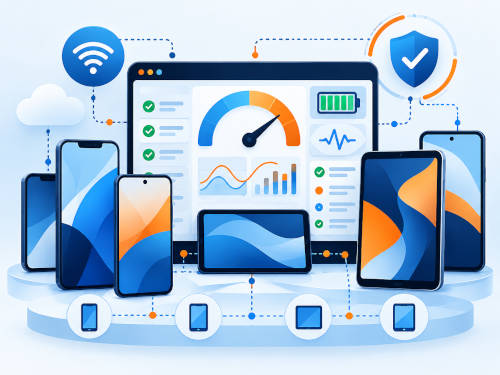
Compatibility testing determines whether an application functions correctly across different devices, operating systems, and hardware configurations.
This is one of the more challenging aspects of mobile app development.
Apple’s ecosystem includes numerous iPhone and iPad models running different versions of iOS and iPadOS.
Android presents an even broader range of devices manufactured by companies such as Samsung, Google, Motorola, and many others.
Android devices can differ in screen resolution, memory, processor performance, system modifications, and supported hardware features.
Testing every possible device configuration is rarely practical.
Instead, developers typically select representative devices based on the application’s intended audience, minimum supported operating system versions, and hardware requirements.
For example, a business application used by field inspectors may need to be tested on the exact tablet models issued to employees.
A consumer application intended for a broad audience may require testing across a larger selection of popular smartphones and operating system versions.
Compatibility testing should be planned around the actual devices your customers or employees are likely to use.
4. Performance Testing
Performance testing evaluates how efficiently an application operates under different conditions.
An application may function correctly but still provide a poor user experience if it takes too long to load, consumes excessive memory, or responds slowly to user interactions.
Performance testing can evaluate:
- Application startup time.
- Screen loading times.
- API response times.
- Database performance.
- Memory consumption.
- CPU utilization.
- Battery consumption.
- Network bandwidth usage.
- Application responsiveness.
- Performance during prolonged usage.
Developers should also evaluate how the application performs on devices with limited processing power or available memory.
An application that performs well on a high-end smartphone may behave differently on an older or lower-cost device.
For applications that communicate with remote servers, performance testing should include the backend infrastructure as well as the mobile application itself.
5. Security Testing
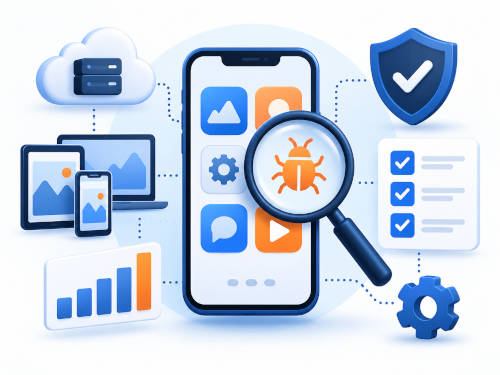
Security testing evaluates an application’s ability to protect information and prevent unauthorized access.
Security vulnerabilities may exist in the mobile application, backend servers, APIs, authentication systems, databases, or third-party integrations.
Common areas of security testing include:
- Authentication and login functionality.
- User permissions and access controls.
- Secure storage of authentication tokens.
- Encryption of sensitive data.
- Secure API communication.
- Session management.
- Input validation.
- Protection against unauthorized data access.
- Third-party library vulnerabilities.
- Secure handling of locally stored information.
For example, a mobile application may correctly hide administrative features from ordinary users while still exposing backend API endpoints that lack proper access controls.
Testing only the mobile interface would not identify this problem.
Security testing must evaluate the entire application architecture, including the systems operating behind the mobile interface.
The OWASP Mobile Application Security project provides technical resources, security standards, and testing guidance for developers building mobile applications.
Developers can review these resources at OWASP Mobile Application Security .
Security testing should be performed throughout development and repeated as the application evolves.
6. API and Backend Testing
Many mobile applications rely on backend infrastructure to perform important business operations.
The mobile application may communicate with a web server to retrieve customer records, process transactions, upload documents, or synchronize data.
API testing verifies that these interactions function correctly and that the backend responds appropriately to both valid and invalid requests.
For example, an application might need to retrieve customer information from a CRM system.
Testing should verify that the correct information is returned, that unauthorized users cannot access another customer’s records, and that the application handles errors appropriately when the CRM system is unavailable.
API testing should include:
- Authentication and authorization.
- Data validation.
- Request and response formatting.
- Error handling.
- Database operations.
- Rate limiting.
- API version compatibility.
- Network timeouts.
- Concurrent requests.
- Data synchronization.
Backend testing is particularly important for custom business applications that integrate with multiple software platforms.
A mobile application can have a perfectly functioning interface while still producing incorrect results because of problems in its backend business logic.
7. Network and Connectivity Testing
Mobile applications frequently operate on networks that are less reliable than traditional office internet connections.
Users may move between Wi-Fi and cellular networks, enter buildings with poor reception, travel through areas without cellular coverage, or temporarily lose their internet connection.
Developers should test how an application behaves when connectivity becomes unreliable.
Important testing scenarios include:
- Switching between Wi-Fi and cellular data.
- Slow internet connections.
- High network latency.
- Complete loss of connectivity.
- Interrupted file uploads.
- Interrupted payment transactions.
- Failed API requests.
- Reconnecting after an extended period offline.
Applications designed for field workers, delivery drivers, inspectors, and other mobile employees may require offline functionality.
For example, a field inspection application might allow an inspector to complete a report without internet access and synchronize the information when connectivity becomes available.
Testing should verify that the application does not lose information, create duplicate records, or overwrite newer data during synchronization.
8. Usability Testing
Usability testing focuses on how easily users can accomplish tasks within an application.
Unlike functional testing, which verifies whether a feature works, usability testing evaluates whether the feature is intuitive and practical for the people using it.
For example, an inspection application might require a user to upload photographs, enter measurements, and submit a report.
The application may technically support all three operations, but the workflow could still be inefficient if users must navigate through numerous screens to complete a simple task.
Usability testing can involve observing real users as they perform common operations.
Developers can then identify confusing interfaces, unnecessary steps, unclear instructions, and other problems that may not be obvious during development.
For business applications, usability testing should ideally involve employees or customers who will actually use the software.
9. Accessibility Testing
Accessibility testing helps ensure that people with disabilities can use an application effectively.
Mobile accessibility can involve support for screen readers, sufficient color contrast, scalable text, accessible form controls, appropriate touch target sizes, and compatibility with operating system accessibility features.
Apple and Google both provide accessibility frameworks and development guidance for their respective platforms.
Developers should test applications using features such as VoiceOver on iOS and TalkBack on Android.
Accessibility requirements may also be influenced by the application’s intended audience, industry, contractual obligations, and applicable regulations.
For organizations that serve the general public or provide essential services, accessibility should be considered during initial application design rather than added as an afterthought.
10. Regression Testing
Regression testing verifies that changes to an application have not unintentionally broken functionality that previously worked.
For example, developers may update an application’s authentication system to support a new login feature.
The new feature might function correctly while unexpectedly interfering with password resets, user permissions, or existing account sessions.
Regression testing checks the affected functionality and other important application workflows after code changes.
This is especially important for mature applications with numerous interconnected features.
Automated regression testing can reduce the time required to verify commonly used functionality after each update.
11. Installation and Update Testing
An application must function correctly not only after installation but also during the installation and update processes.
Installation testing verifies that users can download and install an application on supported devices.
Update testing checks whether an existing installation can be upgraded without losing important information or breaking existing functionality.
This is particularly important when developers modify the local database structure or change how the application stores user information.
Testing scenarios may include:
- Fresh application installation.
- Updating from a previous version.
- Updating from several versions behind.
- Interrupted downloads.
- Limited device storage.
- Existing user sessions.
- Local database migrations.
- Uninstalling and reinstalling the application.
Developers should also verify that updates preserve user information when that is the intended behavior.
Manual Mobile App Testing Versus Automated Testing
Mobile app testing generally involves two major approaches: manual testing and automated testing.
Both have important roles in the development process.
Manual Testing
Manual testing involves a person interacting directly with the application to evaluate its functionality and user experience.
A tester may navigate through the application, submit forms, interact with buttons, test unusual scenarios, and observe how the application responds.
Manual testing is particularly valuable for evaluating usability, visual design, accessibility, and unexpected user behavior.
A person may notice that an application technically works but feels confusing or requires too many steps to accomplish a common task.
These types of observations can be difficult to capture through automated tests alone.
Automated Testing
Automated testing uses software tools and scripts to execute predefined tests and compare the results against expected outcomes.
Automated tests can verify individual functions, API responses, user interface interactions, and important business workflows.
For example, an automated test might create a customer account, log in, submit a form, and verify that the information was saved correctly.
Automated testing can be particularly valuable when developers frequently release application updates.
Rather than manually repeating hundreds of common test scenarios after every change, a development team can automate appropriate portions of the testing process.
However, automated testing does not eliminate the need for manual testing.
A well-designed testing strategy combines both methods according to the application’s complexity and business requirements.
Popular Mobile App Testing Tools
Developers have access to numerous testing tools and frameworks for iOS, Android, and cross-platform applications.
The appropriate tools depend on the technologies used to build the application, the available development infrastructure, and the types of testing required.
Xcode and XCTest
Apple provides development and testing tools through Xcode.
Developers can use XCTest to create automated tests for individual application components and user interface functionality.
Xcode also includes the iOS Simulator, allowing developers to run applications in simulated iPhone and iPad environments.
These tools are especially useful for native iOS applications developed using Swift or Objective-C.
More information is available through Apple’s Xcode Developer Resources .
Android Studio
Android Studio is Google’s official integrated development environment for Android applications.
It includes debugging tools, performance analysis capabilities, an Android Emulator, and support for automated testing frameworks.
Developers can use these tools to evaluate application behavior across different Android versions and simulated device configurations.
Android Studio also supports testing on physical Android devices.
You can learn more through the Android Studio Developer Documentation .
Appium
Appium is an open-source automation framework used to test mobile applications across different platforms.
It supports automated interaction with application interfaces and can be used in testing environments involving iOS and Android.
Appium is particularly useful for development teams that want to automate common application workflows.
More information is available at Appium.io .
Firebase Test Lab
Firebase Test Lab is a Google service that allows developers to test applications on devices hosted in Google’s infrastructure.
It can help developers evaluate application behavior across different device configurations without purchasing every device themselves.
Testing on real hardware is especially valuable when problems involve device-specific behavior.
More information is available through Firebase Test Lab .
Testing on Real Devices Versus Simulators
Simulators and emulators are extremely useful during mobile app development.
They allow developers to test different operating system versions, screen sizes, and device configurations without maintaining an enormous collection of physical devices.
However, simulators cannot perfectly reproduce every aspect of real-world device behavior.
Physical devices may behave differently when handling cameras, Bluetooth connections, GPS signals, cellular connectivity, battery consumption, and manufacturer-specific hardware.
For example, an application that relies on GPS data may require testing on actual devices in real-world environments.
An application that communicates with external Bluetooth hardware should also be tested using the intended physical equipment.
A comprehensive mobile app testing strategy generally combines simulators or emulators with representative physical devices.
Testing Native Versus Cross-Platform Mobile Apps
Mobile applications can be developed using native technologies or cross-platform development frameworks.
Native iOS applications are commonly developed using Swift or Objective-C.
Native Android applications are commonly developed using Kotlin or Java.
Cross-platform applications may use technologies such as Flutter, React Native, or .NET MAUI to share portions of the application code across operating systems.
Cross-platform development can reduce the amount of duplicated development work, but it does not eliminate the need for platform-specific testing.
An application built using a shared codebase may still behave differently on iOS and Android because of differences in operating system behavior, user interface conventions, permissions, hardware integration, and third-party libraries.
Developers should test both platforms independently, even when the application shares much of its underlying code.
Testing Custom Business Mobile Applications
Custom business applications frequently have testing requirements that differ from consumer applications.
These applications may perform complex workflows, connect to internal databases, synchronize information with existing business systems, or operate in environments where internet connectivity is unreliable.
Examples include:
- Field inspection applications.
- Inventory management applications.
- Employee scheduling systems.
- Delivery tracking applications.
- Construction management applications.
- Sales and CRM applications.
- Manufacturing and warehouse applications.
- Healthcare workflow applications.
- Mobile data collection systems.
A failure in one of these applications can interrupt business operations or result in incorrect information being recorded.
For example, a mobile field inspection application might need to capture photographs, record GPS coordinates, collect digital signatures, and upload completed reports to a central database.
Testing should verify that each feature works individually and that the entire workflow functions correctly under realistic operating conditions.
This may include testing the application outside an office environment, using cellular connectivity, and performing tasks on the actual devices employees will use.
How Much Mobile App Testing Is Enough?
There is no universal number of tests that guarantees an application is ready for release.
Testing requirements should be based on the application’s complexity, intended audience, business importance, and potential consequences of failure.
A simple informational application may require a relatively straightforward testing process.
An application that handles financial transactions, healthcare information, critical business operations, or sensitive customer data may require a much more extensive testing strategy.
Development teams should establish clear acceptance criteria before releasing an application.
For example, release requirements might include:
- All critical application features have passed functional testing.
- No known critical security vulnerabilities remain unresolved.
- Important business workflows have been successfully tested.
- The application functions on its supported devices and operating systems.
- Application crashes and performance problems have been reviewed.
- Required API integrations function correctly.
- Data synchronization has been tested.
- Privacy and application store requirements have been reviewed.
- Known limitations have been documented.
Testing cannot prove that a complex application is completely free of defects.
However, a structured testing process can substantially reduce the likelihood of serious problems reaching users.
How Long Does Mobile App Testing Take?
The time required for mobile app testing depends on several factors.
These include the number of application features, supported platforms, backend integrations, device compatibility requirements, and the amount of automated testing already in place.
A relatively simple application may require a limited testing effort.
A complex enterprise application with numerous user roles, APIs, payment integrations, and business workflows may require several weeks of dedicated testing before its initial release.
Testing should not be reserved exclusively for the final stages of development.
Instead, developers should test individual features as they are completed and perform additional integration, performance, security, and regression testing as the application approaches release.
This approach helps prevent the development team from discovering a large collection of problems immediately before the scheduled launch date.
What Is Beta Testing?
Beta testing involves releasing an application to a limited group of users before making it generally available.
Beta testers interact with the application under real-world conditions and provide feedback about functionality, usability, performance, and unexpected behavior.
Beta testing can be especially useful for identifying problems that were not encountered during internal development.
Apple provides TestFlight, which allows developers to distribute prerelease versions of iOS applications to designated testers.
Google Play also supports application testing tracks that allow developers to distribute applications to selected groups before a wider release.
Beta testing should be treated as an additional quality assurance step rather than a replacement for functional, security, and compatibility testing.
Mobile App Testing Should Continue After Launch
Testing does not end when an application is published.
Operating systems continue to evolve, users adopt new devices, backend systems change, and developers introduce additional features.
Every significant application update creates the possibility of new problems.
Ongoing testing should therefore be incorporated into a mobile app maintenance strategy.
This may include reviewing crash reports, testing application updates against new operating system versions, verifying API integrations, and performing regression testing before each release.
For established applications, automated testing can be particularly valuable because it helps developers identify problems introduced by changes to existing code.
Businesses should also monitor customer support requests, user reviews, and application analytics for indications of problems that were not discovered during development.
Common Mobile App Testing Mistakes
Even experienced development teams can overlook important aspects of testing.
Some of the most common mistakes include:
Testing Only on the Developer’s Device
An application that functions perfectly on one smartphone may fail on another device.
Developers should test representative devices, operating system versions, and screen sizes based on the intended user population.
Waiting Until the End of Development
Delaying testing until an application is nearly complete can allow technical problems to accumulate.
Testing individual features throughout development makes problems easier to identify and correct.
Ignoring Poor Network Conditions
Applications that depend on internet connectivity should be tested using slow, unstable, and interrupted connections.
This is especially important for applications used outside traditional office environments.
Testing Only Successful Workflows
Developers should test what happens when users enter incorrect information, abandon transactions, lose connectivity, or attempt actions they are not authorized to perform.
Error handling is an important part of application quality.
Neglecting Backend Testing
An attractive, responsive mobile interface does not guarantee that the backend system is processing information correctly.
APIs, databases, authentication systems, and business logic must also be tested.
Skipping Regression Testing
An update that fixes one problem can accidentally introduce another.
Important existing functionality should be retested before releasing new application versions.
Planning Mobile App Testing During Development
Testing should be part of the initial project plan rather than an optional service added after development is complete.
When businesses are planning a mobile app development project , the testing strategy should be established alongside the application’s functional requirements, architecture, and development schedule.
This allows the development team to identify important workflows, define supported devices, establish acceptance criteria, and determine which testing activities can be automated.
It also helps businesses budget appropriately for quality assurance.
An application that has been carefully tested during development is generally easier to maintain than one that was rushed into production with unresolved technical problems.
Final Thoughts: Mobile App Testing Is Essential for Long-Term Success
A successful mobile application must do more than provide the features described in its original development requirements.
It must function reliably on supported devices, protect customer information, perform efficiently, and continue operating as technology changes.
Mobile app testing helps developers identify problems before they affect users and provides businesses with greater confidence in their software investments.
From functional testing and user interface testing to security, performance, API integration, and real-world device testing, each testing method addresses a different aspect of application quality.
The most effective testing strategies combine automated tools, manual evaluation, realistic operating conditions, and continuous quality assurance throughout the software development lifecycle.
For businesses developing custom applications, investing in testing from the beginning can reduce unexpected development costs, improve user satisfaction, and create a more reliable foundation for future growth.
Mobile App Development and Testing Services From Code Team Blue
Code Team Blue provides custom mobile application development, software development, API integration, and ongoing technical support for businesses developing new applications or maintaining existing software.
Our team works with businesses that need mobile applications to support customer-facing services, internal operations, field employees, data collection, and other specialized business requirements.
We understand that developing an application is only part of the project. Testing, deployment, compatibility, maintenance, and long-term support are equally important to building software that businesses can depend on.
Our mobile application development and support services can include:
- Custom iOS and Android application development.
- Mobile application testing and quality assurance.
- Native and cross-platform application development.
- API development and integration.
- Backend and database development.
- Application debugging and troubleshooting.
- Third-party software integration.
- Mobile application modernization.
- App Store and Google Play submission support.
- Application performance optimization.
- Security improvements.
- Ongoing mobile app maintenance and technical support.
- Custom business application development.
Whether you are building a new application, improving an existing product, or looking for a development team to take over a project created by another company, Code Team Blue can help evaluate your requirements and develop a practical solution.
With more than 20 years of experience in software development, web technologies, integrations, and technical support, our team brings extensive experience to projects involving both modern applications and established business systems.
Need Help Developing or Testing Your Mobile App?
If your business is planning a new mobile application, experiencing problems with an existing app, or looking for an experienced development team to help with testing and quality assurance, we would be happy to discuss your project.
Code Team Blue can help identify technical issues, evaluate your existing application, develop new features, and provide the ongoing support needed to keep your software operating reliably.
Contact Code Team Blue today to discuss your mobile application development and testing needs.
Visit CodeTeamBlue.com to learn more about our custom software development, mobile app development, API integration, and technical support services.