
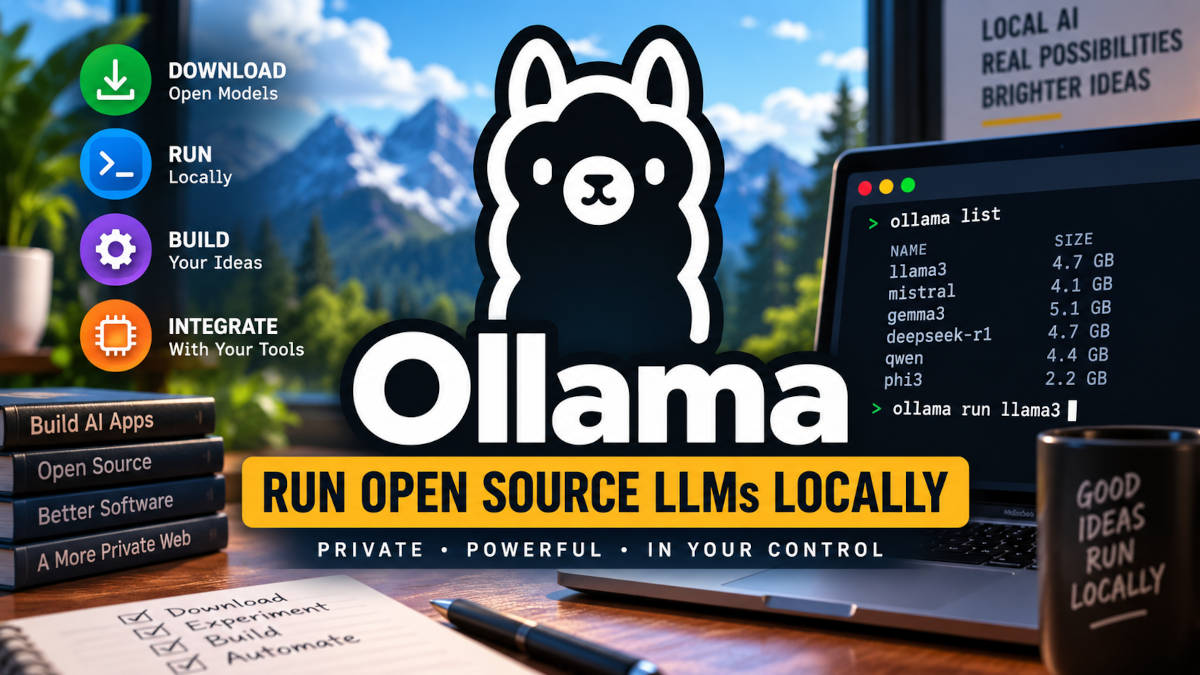
Artificial intelligence has moved far beyond simply opening ChatGPT in a browser and asking it a question.
Developers can now download large language models, run them on their own computers, call them through APIs, connect them directly to development environments, give them tools, build AI agents around them, and even operate their own private AI infrastructure.
One of the easiest ways to start experimenting with this world is Ollama.
Ollama provides a relatively simple way to download, manage, run, and communicate with large language models on your own hardware. Instead of sending every request to OpenAI, Anthropic, Google, or another cloud provider, you can have a model running on a Mac, Windows workstation, Linux server, dedicated GPU server, or potentially an entire rack of servers that you control.
Ollama currently supports Windows, macOS, and Linux and provides APIs along with Python and JavaScript libraries. Its model library includes models from families such as Gemma, DeepSeek, Qwen, Llama, Mistral, GPT-OSS, and many others.
This article is intended to be a crash course, but a fairly serious one.
We are going to cover:
- What Ollama actually is.
- What an LLM is.
- Open-source, open-weight, and proprietary AI.
- The major AI model providers.
- Different types and sizes of models.
- How to install and use Ollama.
- Ollama command-line cheat sheets.
- How prompting works.
- How to make API calls to an LLM.
- How LLMs integrate with development environments.
- Xcode.
- Visual Studio Code.
- Android Studio.
- What AI agents actually are.
- How business agents can be created.
- Tool calling.
- RAG and private company data.
- Running models on your own server.
- CPU versus GPU inference.
- Dedicated bare-metal AI servers.
- AWS, Azure, and Google Cloud.
- Smaller GPU cloud providers.
- Building an AI server at home.
- Running multiple fiber connections to your home.
- How much electricity an LLM server consumes.
- What a solar-powered AI server might require.
- What you could realistically do with a 64 GB CPU-only server.
- What hardware you would want if you were serious about running your own private AI.
Part 1: What Is an LLM?
LLM stands for Large Language Model.
At a simplified level, an LLM is a mathematical model that has learned statistical relationships between enormous numbers of pieces of text called tokens.
A token may represent a word, part of a word, punctuation, code, or another piece of information.
When you type:
Write a PHP function that connects to MySQL.
the model does not search a database and retrieve a PHP function.
Instead, it processes your input and predicts the most appropriate sequence of tokens to generate as a response.
Very large modern models have learned enough relationships between language, programming languages, mathematics, documentation, reasoning patterns, and other information that the resulting behavior can appear remarkably intelligent.
That does not mean every LLM is the same.
There are now many different categories.
Major Types of AI Models
General-Purpose Models
These are the models behind systems such as ChatGPT, Claude, Gemini, and many locally hosted assistants.
They are designed to handle a broad range of questions including:
- Writing.
- Research.
- Programming.
- Analysis.
- Summarization.
- Business questions.
- Brainstorming.
- Mathematics.
- Technical support.
Reasoning Models
Reasoning models spend additional computation working through complicated problems.
They are particularly useful for:
- Programming.
- Mathematics.
- Debugging.
- Architecture.
- Planning.
- Multi-step problems.
- Scientific analysis.
- Complicated business decisions.
The tradeoff is normally greater latency and computational expense.
Coding Models
Coding models are optimized specifically for software development.
They can be used for:
- Generating functions.
- Debugging.
- Refactoring.
- Understanding repositories.
- Generating unit tests.
- Creating documentation.
- Converting between programming languages.
- Building entire application components.
Some modern coding models are designed specifically for agentic coding, where the model is allowed to inspect a repository, modify files, execute tests, inspect errors, and continue working.
Vision Models
A vision-language model can process both text and images.
You can potentially give one:
- A screenshot.
- A photograph.
- A UI design.
- A chart.
- A scanned document.
- An error dialog.
and ask questions about it.
Multimodal Models
Multimodal models expand this concept further.
Depending on the system, they may work with:
- Text.
- Images.
- Audio.
- Video.
- Documents.
- Code.
Embedding Models
Embedding models are very different from chatbot models.
Instead of generating an answer, an embedding model converts information into numerical vectors.
Those vectors can then be compared mathematically.
This is one of the foundations of semantic search and RAG — Retrieval-Augmented Generation.
Ollama has a dedicated embeddings API and supports embedding models including EmbeddingGemma and Qwen embedding models.
Part 2: Open Source, Open Weight, and Closed AI
One of the most confusing terms in AI is open source.
People frequently describe any downloadable AI model as open source.
Technically, things are more complicated.
There are roughly three categories.
Proprietary Models
The model is operated by a company and the underlying weights are not provided to you.
Examples include many models offered by:
- OpenAI.
- Anthropic.
- Google.
- xAI.
You normally interact with them through:
- A website.
- An app.
- An API.
- An IDE integration.
You are paying for access to someone else’s infrastructure.
Open-Weight Models
With an open-weight model, the trained weights can be downloaded.
That means you can potentially run the model yourself.
However, the license may contain restrictions.
Therefore:
Open weights does not automatically mean open source.
The exact license matters, particularly for commercial applications.
Fully Open Models
Some projects provide substantially more of the model development stack, potentially including:
- Weights.
- Architecture.
- Training code.
- Data information.
- Permissive licensing.
Even here, developers should read the actual license instead of relying on the phrase “open source.”
Part 3: Who Are the Major AI Players?
The AI ecosystem changes incredibly quickly, but several companies and model families have become especially important.
OpenAI
OpenAI develops the GPT family and operates ChatGPT.
OpenAI models are commonly used for:
- General AI.
- Reasoning.
- Programming.
- Agents.
- Multimodal applications.
- API integrations.
- Business automation.
OpenAI also has open-weight models available through ecosystems such as Ollama.
For a developer, it is useful to separate these concepts:
ChatGPT is an application.
GPT refers to model families.
The OpenAI API lets developers programmatically interact with OpenAI models.
The distinction becomes important once you start building software around AI.
Anthropic and Claude
Anthropic develops the Claude family of models.
Claude has become particularly important in software development because of its strong programming and agentic capabilities.
Anthropic also developed Claude Code, an agentic coding tool that can work from the terminal.
Interestingly, you can now use Claude Code as the agent interface while supplying some models through Ollama.
Ollama added Anthropic Messages API compatibility in 2026, allowing Claude Code to communicate with models running through Ollama.
That illustrates an important concept:
The AI interface and the AI model do not necessarily have to come from the same company.
You could theoretically have:
Claude Code → Ollama → locally running model.
Google: Gemini and Gemma
Google has two names you should understand.
Gemini
Gemini represents Google’s major cloud AI models and AI services.
Gemma
Gemma is Google’s family of models intended to be run more openly and locally.
Gemma models are available through Ollama.
Google has also deeply integrated AI into Android Studio, which we will discuss later.
Meta and Llama
Meta’s Llama family played a major role in popularizing downloadable large language models.
Llama models are available in numerous sizes and have spawned a large ecosystem of:
- Fine-tuned models.
- Coding models.
- Research models.
- Quantized models.
- Specialized models.
Ollama continues to provide Llama variants in its model library.
Mistral
Mistral AI has become another major player in both hosted and downloadable models.
Its current lineup includes general-purpose, coding, multimodal, and reasoning-oriented models, with several models distributed under relatively permissive licenses.
Mistral is particularly interesting when building private AI infrastructure because several of its models can be self-hosted.
Alibaba and Qwen
Alibaba’s Qwen family has become very important in local AI.
There are Qwen models targeting:
- General language tasks.
- Reasoning.
- Coding.
- Vision.
- Large context windows.
- Embeddings.
Ollama’s model library includes multiple Qwen families, including coding and vision models.
DeepSeek
DeepSeek attracted enormous attention for high-performance reasoning and coding models.
One reason DeepSeek is particularly interesting for local AI is the availability of smaller distilled versions.
Ollama provides DeepSeek-R1 variants ranging from very small models through much larger versions.
That makes DeepSeek useful for experimenting with the difference between:
8B models.
14B models.
32B models.
70B models.
and enormously larger models.
GitHub Copilot
This is another area where terminology becomes confusing.
GitHub Copilot is not one LLM.
It is an AI development platform.
Modern GitHub Copilot can provide access to models from multiple companies. Its current supported model list includes models from OpenAI, Anthropic, Google, Microsoft, xAI, Moonshot, and others.
This is likely where the entire AI software industry is going.
Instead of saying:
I use Model X.
developers will increasingly use an AI interface that selects different models depending on the job.
You might use:
- One model for autocomplete.
- Another for difficult reasoning.
- Another for repository-wide code changes.
- A cheap model for simple classifications.
- A local model for confidential information.
Other Major Players
Other companies worth watching include:
- xAI and Grok.
- Microsoft and its own model development.
- Moonshot AI and Kimi.
- Z.ai and GLM.
- Cohere.
- NVIDIA.
- IBM.
- Hugging Face.
- Stability AI in adjacent generative AI categories.
There will almost certainly be additional major players by the time you read this.
That is another reason platforms such as Ollama are interesting.
You are not permanently tying your software to one model.
Part 4: What Exactly Is Ollama?
Ollama is essentially a model runtime and management layer.
Think of it as something like:
Docker for running AI models.
That analogy isn’t technically perfect, but it is useful.
Ollama handles many of the unpleasant details involved in downloading and running models.
Instead of manually configuring a complicated inference framework, model files, GPU libraries, and endpoints, you can frequently install Ollama and run something like:
ollama run gemma3
Ollama will obtain the model and launch it.
You now have an LLM running on your computer.
That same model can be accessed through an HTTP API.
Ollama Crash Course Cheat Sheet
Here are some of the commands you will use most frequently.
Download a Model
ollama pull gemma3
Run a Model
ollama run gemma3
See Installed Models
ollama list
See Models Currently Running
ollama ps
Stop a Model
ollama stop gemma3
Remove a Model
ollama rm gemma3
Inspect a Model
ollama show gemma3
Start the Ollama Server
ollama serve
By default the API normally runs locally on port:
11434
So your local API may be reachable at:
http://localhost:11434
Part 5: Model Size — What Does 8B, 20B, 70B, and 120B Mean?
The “B” generally refers to billions of parameters.
Examples:
8B = approximately 8 billion parameters.
20B = approximately 20 billion.
70B = approximately 70 billion.
120B = approximately 120 billion.
Parameter count does not directly equal intelligence.
A newer or better-trained 20B model can outperform a much larger older model.
Architecture matters.
Training data matters.
Quantization matters.
Reasoning design matters.
Mixture-of-Experts architecture matters.
But parameter count is still extremely important for memory requirements.
Quantization: The Trick That Makes Local AI Practical
A model might originally store its parameters at relatively high numerical precision.
Quantization reduces that precision.
Instead of representing each parameter with a large number of bits, we represent it with fewer.
That dramatically reduces memory requirements.
You will see labels such as:
- FP16.
- BF16.
- INT8.
- Q8.
- Q6.
- Q5.
- Q4.
A Q4 model is roughly a 4-bit quantization.
Very loosely:
More compression = less memory + potentially lower quality.
Modern quantization methods are good enough that heavily compressed models can still perform surprisingly well.
This is one reason enormous models can now run on consumer hardware at all.
Very Rough Model Memory Cheat Sheet
Actual requirements depend heavily on quantization and context length, but this provides a useful mental model.
| Model Size | Rough Quantized Model Memory |
|---|---|
| 3B | 2-4 GB |
| 7B-8B | 5-8 GB |
| 12B-14B | 8-12 GB |
| 20B | 12-18 GB |
| 30B-32B | 18-25 GB |
| 70B | 40-50+ GB |
| 120B | 70+ GB |
| 400B+ | Serious multi-GPU territory |
Those numbers are NOT complete system requirements.
You also need memory for:
- Context.
- KV cache.
- Operating system.
- Application.
- Model runtime.
- Concurrent users.
Long context windows can consume surprisingly large amounts of memory.
Ollama itself adjusts default context sizes based on available VRAM. Its current defaults are 4K context below 24 GiB VRAM, 32K between 24 and 48 GiB, and 256K at 48 GiB or higher. Ollama recommends at least 64K context for demanding coding and agent tasks.
Part 6: Why GPU VRAM Matters More Than Normal RAM
This is probably the single most important hardware lesson for local AI.
Normal computer specifications focus on:
- CPU.
- RAM.
- SSD speed.
LLMs change the equation.
The most important number often becomes:
GPU VRAM
If your entire model fits inside GPU VRAM, inference can be extremely fast.
If part of the model spills into system RAM, performance can fall dramatically.
If the entire model runs from system RAM through the CPU, it can become dramatically slower still.
For local AI:
VRAM is gold.
Practical GPU Cheat Sheet
This is deliberately approximate.
8-12 GB VRAM
Good for:
- Small models.
- 3B-8B models.
- Experiments.
- Basic chat.
- Simple coding assistance.
16 GB VRAM
Good for:
- 7B-14B models.
- Development experiments.
- Smaller coding models.
- Smaller vision models.
24-32 GB VRAM
This is where local AI becomes substantially more interesting.
Good for:
- 14B-30B-ish models.
- Serious coding.
- Agents.
- Larger contexts.
- More sophisticated local assistants.
48 GB VRAM
Now you can start comfortably experimenting with models that are difficult on consumer hardware.
80-96+ GB VRAM
You are entering professional AI-server territory.
This makes substantially larger models practical.
Multiple GPUs
Multiple GPUs allow models to be divided across devices.
That can produce:
48 GB + 48 GB = approximately 96 GB of aggregate VRAM.
Or:
80 GB × 4 = 320 GB.
At this point you are no longer building a gaming computer that happens to run AI.
You are building AI infrastructure.
Ollama currently supports a broad range of NVIDIA GPUs as well as AMD acceleration through ROCm and additional backends.
Part 7: Prompting Crash Course
People often make AI prompting more complicated than it needs to be.
A good prompt usually has five components.
1. Role
Tell the model what perspective to adopt.
Example:
You are a senior PHP developer experienced with legacy Zend applications.
2. Objective
Clearly state the task.
Upgrade this PHP 7.4 code so it works correctly with PHP 8.3.
3. Context
Explain the surrounding situation.
This is a production application and we cannot rewrite the entire application.
The existing MySQL database schema must remain unchanged.
4. Constraints
Explain what it should NOT do.
Do not replace the framework.
Do not change database field names.
Do not remove existing functionality.
5. Output Format
Tell the AI exactly what you want returned.
Return:
1. The corrected PHP.
2. A list of changes.
3. Any remaining PHP 8 compatibility problems.
Prompt Cheat Sheet
Weak:
Fix my PHP.
Better:
Review this PHP code for PHP 8.3 compatibility.
Much better:
Act as a senior PHP developer.

Review the following legacy PHP 7.4 code and update it for PHP 8.3.

Requirements:
- Preserve existing functionality.
- Do not change the database schema.
- Replace deprecated PHP functions.
- Identify potential security problems.
- Return complete replacement code.
- After the code, explain each change.

CODE:
[code here]
Prompt engineering is largely the art of reducing ambiguity.
Part 8: Calling Ollama Through an API
Using Ollama as a chat program is interesting.
Using Ollama as an API is where it becomes truly useful for developers.
Ollama exposes a local HTTP API.
For example:
curl http://localhost:11434/api/chat \
  -d '{
    "model": "gemma3",
    "messages": [
      {
        "role": "user",
        "content": "Explain REST APIs in one paragraph."
      }
    ],
    "stream": false
  }'
Ollama’s /api/chat endpoint accepts a model, conversation messages, optional tools, structured output options, and other inference settings.
Now imagine replacing the example question with data from your application.
You have just created your first AI integration.
Python Example
A simple conceptual Python implementation could look like:
import requests

response = requests.post(
    "http://localhost:11434/api/chat",
    json={
        "model": "gemma3",
        "messages": [
            {
                "role": "user",
                "content": "Summarize this customer support ticket."
            }
        ],
        "stream": False
    }
)

data = response.json()

print(data["message"]["content"])
PHP Example
For web developers, the same concept works perfectly well from PHP.
<?php

$url = 'http://localhost:11434/api/chat';

$data = [
    'model' => 'gemma3',
    'messages' => [
        [
            'role' => 'user',
            'content' => 'Write a short product description for a red bicycle.'
        ]
    ],
    'stream' => false
];

$ch = curl_init($url);

curl_setopt($ch, CURLOPT_RETURNTRANSFER, true);
curl_setopt($ch, CURLOPT_POST, true);
curl_setopt($ch, CURLOPT_HTTPHEADER, [
    'Content-Type: application/json'
]);
curl_setopt($ch, CURLOPT_POSTFIELDS, json_encode($data));

$response = curl_exec($ch);

curl_close($ch);

$result = json_decode($response, true);

echo $result['message']['content'];
Your PHP application is now talking to a locally hosted AI.
OpenAI API Compatibility
Here is another extremely useful Ollama feature.
Ollama provides compatibility with portions of the OpenAI API.
Existing applications using OpenAI-style libraries can therefore sometimes be pointed at your local Ollama installation by changing the base URL.
Ollama’s official example uses:
http://localhost:11434/v1/
as the OpenAI-compatible base URL.
This can make moving between:
Cloud AI → Local AI
surprisingly straightforward.
Part 9: Integrating AI With Development Tools
This is where AI development is rapidly changing.
Instead of copying code from ChatGPT and pasting it into an editor, the AI can operate inside the development environment itself.
Visual Studio Code
VS Code has become one of the major centers of AI-assisted development.
AI tools can potentially:
- Read the current file.
- Search an entire repository.
- Write functions.
- Refactor multiple files.
- Run terminal commands.
- Inspect errors.
- Generate tests.
- Execute tests.
- Review Git changes.
- Explain unfamiliar applications.
- Work through large software tasks.
GitHub Copilot is deeply connected to this ecosystem and now supports numerous model providers.
Another option is to use agentic coding applications that communicate with Ollama.
In early 2026 Ollama introduced:
ollama launch
which can configure coding tools including Claude Code, OpenCode, Codex, and Droid to use Ollama-hosted models.
For example:
ollama launch claude
You can therefore potentially work in VS Code while an AI coding agent operating in your terminal uses a locally hosted model.
Xcode
Apple has dramatically expanded AI integration in Xcode.
Xcode now includes coding intelligence, model support, and agentic development functionality.
Xcode 26.3 introduced agentic coding integrations from Anthropic and OpenAI, while also exposing Xcode capabilities through MCP so compatible external agents can interact with Xcode.
Even more interesting for this article:
Ollama provides instructions for connecting directly to Xcode as a locally hosted model provider.
The local Ollama service can be configured on port 11434 and models can then be selected inside Xcode.
This means an Apple developer can potentially have:
Xcode
   ↓
Ollama
   ↓
Local Coding Model
   ↓
Your GPU
instead of sending every coding interaction to an external cloud service.
That is particularly attractive for:
- Proprietary applications.
- Confidential client projects.
- Regulated environments.
- Offline development.
Android Studio
Google has gone even further with Android Studio.
Gemini is deeply integrated into Android Studio and provides features such as:
- Code generation.
- Chat.
- Code completion.
- Agentic development.
- Debugging assistance.
- Gradle troubleshooting.
- UI generation.
- Crash analysis.
But Android Studio can also connect to a local model.
Google’s own documentation specifically lists Ollama as a supported type of local LLM provider.
The basic configuration is:
Android Studio
→ Settings
→ Tools
→ AI
→ Model Providers
→ Local Provider
→ Ollama
You then specify the port and select your locally hosted model.
Google notes that local models may not perform as well as its cloud Gemini models and that some Android-specific features may not work with external models.
Still, this is an enormous development.
It means a developer can potentially build Android applications using an AI assistant without sending source code outside the local network.
Part 10: What Is an AI Agent?
This term gets thrown around constantly.
An AI agent is not simply an LLM.
A useful mental model is:
AI Agent
=
LLM
+
Instructions
+
Tools
+
Memory/State
+
Decision Loop
A normal chatbot does this:
Question
↓
LLM
↓
Answer
An agent may do this:
Goal
↓
LLM
↓
Decides it needs information
↓
Calls tool
↓
Reads result
↓
Makes decision
↓
Calls another tool
↓
Checks result
↓
Repeats
↓
Finishes task
That is a completely different level of capability.
Tool Calling
Imagine you tell an agent:
Find every customer who has an unpaid invoice more than 30 days old and prepare a reminder email.
The model itself cannot magically know your invoices.
Instead, you provide tools.
For example:
get_customers()
get_invoices()
get_invoice_status()
create_email_draft()
The model decides which tools to call.
The software executes them.
The results are returned to the model.
The model determines the next action.
Ollama’s chat API includes support for function tools, allowing compatible models to participate in this type of workflow.
Part 11: Business Agent Examples
Once you understand agents, the practical business applications become obvious.
Email Triage Agent
The agent could:
- Read incoming emails.
- Determine the customer.
- Classify the request.
- Search internal documentation.
- Draft a response.
- Assign it to the correct employee.
- Flag urgent issues.
For safety, the system might require a human to approve the response before sending.
Lead Qualification Agent
A lead arrives through a website.
The agent could:
- Read the lead.
- Determine what service they need.
- Research the company.
- Compare the request against your services.
- Assign a lead-quality score.
- Add the company to the CRM.
- Draft a personalized follow-up.
- Schedule a sales task.
Customer Support Agent
An agent could combine:
- Product manuals.
- Previous support tickets.
- Customer account information.
- Internal documentation.
- An LLM.
The agent could answer basic questions automatically and escalate difficult questions to support personnel.
Accounting Agent
An internal agent might:
- Categorize expenses.
- Look for duplicate charges.
- Review unpaid invoices.
- Prepare financial summaries.
- Match transactions with invoices.
- Flag unusual activity.
Financial transactions themselves should generally retain deterministic controls and human approval rather than allowing an LLM unrestricted access to move money.
Software Maintenance Agent
This is one of the most exciting areas.
Imagine telling an agent:
Upgrade this WordPress plugin from PHP 7.4 to PHP 8.3.

Run the test suite after every major change.

Do not alter public APIs.

Create a Git commit for each completed section.
The agent could:
- Scan the repository.
- Identify deprecated functions.
- Modify files.
- Run tests.
- Analyze failures.
- Modify additional files.
- Repeat.
- Generate documentation.
- Produce a final summary.
That is much closer to a junior developer than a chatbot.
Part 12: RAG — Letting AI Use Your Company Information
One problem with an LLM is that it does not automatically know your private business data.
You probably don’t want to retrain a giant language model every time your employee handbook changes.
Instead, companies frequently use Retrieval-Augmented Generation.
Or:
RAG
Suppose an employee asks:
How many vacation days do I have after five years?
The system could:
- Convert the question into an embedding.
- Search the company’s HR documents.
- Retrieve the relevant vacation policy.
- Send the relevant section to the LLM.
- Ask the LLM to answer based on that information.
The LLM did not memorize your company handbook.
It was temporarily provided the correct information.
That is the basic concept behind enormous numbers of corporate AI systems.
Part 13: Running LLMs on Your Own Web Server
Now we get to the interesting infrastructure questions.
Can you run an LLM on your own web server?
Absolutely.
But there is a huge difference between:
$20/month Linux VPS
and:
GPU AI inference server
Traditional web applications are generally CPU-oriented.
LLM inference is heavily GPU- and memory-bandwidth-oriented.
A standard VPS may technically run a small quantized model.
That does not mean it will run it well.
Option 1: Normal VPS
A typical VPS might have:
- 4-16 virtual CPU cores.
- 8-64 GB RAM.
- SSD storage.
- No GPU.
This could potentially run smaller models.
It may be useful for:
- Testing.
- Embeddings.
- Small classifiers.
- Low-volume internal tools.
- Batch jobs.
It generally will not provide the ChatGPT-like performance people expect from larger modern models.
Option 2: Dedicated CPU Server
Now imagine:
- Modern AMD EPYC or high-end Ryzen CPU.
- 64-128 GB RAM.
- Fast NVMe drives.
- No GPU.
This is considerably better.
You can run surprisingly capable quantized models.
However, the CPU will remain the bottleneck.
More on performance shortly.
Option 3: Dedicated GPU Server
This is where things become serious.
For example:
Linux
High-end CPU
128 GB RAM
2 TB NVMe
32-96 GB GPU VRAM
Ollama
Reverse proxy
Application API
This can become your company’s internal AI server.
Employees could access it from:
- Web applications.
- Mobile apps.
- Internal dashboards.
- VS Code.
- Xcode.
- Android Studio.
- Custom agents.
Part 14: Renting Dedicated Bare-Metal Servers
Instead of buying the computer, you can rent a physical server in a data center.
This has several advantages.
You get:
- Professional power.
- Professional cooling.
- High-speed networking.
- Redundant internet.
- Physical security.
- No server noise in your house.
- No massive electric bill at home.
For a constantly running production AI service, this can make much more sense than residential infrastructure.
The downside is that GPU-equipped bare-metal servers are expensive.
But there is a point where renting a dedicated server becomes cheaper than continuously renting GPUs by the minute.
That crossover depends heavily on utilization.
If your GPU is used two hours a day:
Renting usually makes sense.
If your GPU is processing requests 24 hours a day:
Owning or leasing dedicated hardware becomes much more attractive.
Part 15: AWS, Google Cloud, and Microsoft Azure
The giant cloud providers all offer GPU computing.
AWS
Amazon EC2 provides GPU-enabled instances that can be used for:
- LLM inference.
- Fine-tuning.
- Machine learning.
- Image generation.
- AI application development.
AWS is attractive when the rest of your infrastructure is already in AWS.
Microsoft Azure
Azure provides GPU-oriented VM families including NVIDIA-backed systems.
This can make sense for companies already using:
- Microsoft 365.
- Azure.
- Active Directory.
- Microsoft databases.
- Enterprise Microsoft infrastructure.
Azure continues to maintain dedicated GPU-accelerated VM families and NVIDIA CUDA support.
Google Cloud
Google Cloud also provides GPU compute infrastructure and is particularly interesting if your application already uses:
- Google Cloud.
- Vertex AI.
- Gemini.
- BigQuery.
- Firebase.
The Downside of the Big Three
Convenience comes with a price.
GPU servers from hyperscale cloud companies can become expensive very quickly.
You also need to account for:
- Storage.
- Bandwidth.
- Persistent disks.
- Snapshots.
- Load balancers.
- Data transfer.
- Idle GPU time.
Leaving an expensive GPU VM running when nobody is using it can produce an unpleasant cloud bill.
Part 16: Smaller AI GPU Hosting Companies
There is now an entire industry specifically renting GPUs.
Examples include providers such as:
- Runpod.
- Lambda.
- CoreWeave.
- Vast.ai.
- Specialized data-center operators.
These companies may provide more straightforward access to GPUs than traditional cloud providers.
As of September 2026, Runpod advertises everything from consumer-class 24-32 GB GPUs through 80 GB, 141 GB, 180 GB and larger accelerator configurations, with per-second GPU rental available.
Lambda similarly offers single- and multi-GPU systems including A100, H100, GH200, and B200-class infrastructure.
For experimentation, these services can be enormously useful.
Instead of spending thousands of dollars on hardware, rent a monster GPU for several hours.
Install Ollama.
Run your model.
Test the performance.
Then shut the server down.
Local AI Hardware Buying Strategy
Before buying expensive hardware:
Rent the hardware first.
If you think you need a 48 GB GPU:
Rent one.
If you think you need an 80 GB GPU:
Rent one.
Load your actual model.
Load your actual context.
Run your actual application.
Measure it.
Then buy hardware.
AI hardware is too expensive to select based entirely on YouTube benchmarks.
Part 17: Can You Build an AI Server Rack at Your House?
Absolutely.
It may even make financial sense for certain developers and small businesses.
But this becomes a real infrastructure project.
A basic architecture might look like this:
Fiber ISP #1
       \
        Router / Firewall
       /
Fiber ISP #2
        |
    10/25 Gb Switch
        |
  ------------------
  |       |        |
AI #1   AI #2     NAS
  |       |
 GPUs    GPUs
You could also have:
Development PCs
        |
      LAN
        |
Inference Server
        |
      Ollama
        |
Private AI API
Do You Actually Need Multiple Fiber Connections?
Probably not at first.
This is an important distinction.
Your Internet connection generally does NOT determine how fast the model thinks.
If your model generates:
40 tokens per second
upgrading your Internet connection from:
1 Gbps
to:
5 Gbps
will not make it generate:
200 tokens per second.
Inference speed happens on the server.
The fiber connection only transports the input and output.
Text uses very little bandwidth.
Even a very fast LLM API does not require enormous bandwidth per user.
Multiple fiber connections become useful for:
- Redundancy.
- Hosting many customers.
- Large document uploads.
- Model transfers.
- Backups.
- Video processing.
- Large multimodal workloads.
- Remote development.
- Enterprise availability.
For a personal LLM server, one reliable gigabit fiber connection is already tremendous bandwidth.
Dual-WAN Internet
If you wanted serious redundancy, you might obtain:
Fiber Provider A
+
Fiber Provider B
and connect them to a business firewall supporting dual WAN.
The firewall can perform failover.
If one fiber provider goes down, traffic moves to the second.
True multi-provider BGP networking is possible but is considerably more complicated and generally unnecessary for a home AI lab.
Important Security Warning
Do NOT simply expose:
http://your-ip:11434
to the public Internet.
Instead, a production installation should generally place the AI service behind infrastructure such as:
Internet
↓
Firewall
↓
Reverse Proxy
↓
TLS/HTTPS
↓
Authentication
↓
Rate Limiting
↓
Application API
↓
Ollama
Ideally Ollama itself remains on a private network.
For employees, a VPN or zero-trust access solution may be even better.
Part 18: What Would a Serious Home AI Server Look Like?
There are many ways to build one.
A practical higher-end single-server configuration could look something like:
Linux
Modern 16-32 core CPU
128 GB RAM
2-4 TB NVMe SSD
32-96 GB total GPU VRAM
10 Gb Ethernet
High-efficiency power supply
Large airflow-oriented case
Ollama
Docker
Reverse proxy
Monitoring
You don’t necessarily need a rack.
A large workstation chassis can be easier to cool and maintain.
Once you move into:
- Multiple GPUs.
- Multiple servers.
- 25/40/100 Gb networking.
- UPS systems.
- Large NAS systems.
a rack starts making more sense.
Storage Requirements
Model files get big.
It is easy to accumulate:
20 GB model
40 GB model
80 GB model
120 GB model
plus different quantizations.
A serious model server should probably have at least a couple terabytes of fast SSD storage.
NVMe does not necessarily make token generation dramatically faster once the model is loaded into VRAM.
But fast storage helps with:
- Loading models.
- Switching models.
- Downloading models.
- Vector databases.
- RAG documents.
- Container workloads.
- Databases.
- Checkpoints.
Part 19: How Much Power Does an AI Server Use?
This depends dramatically on the hardware.
Consider a relatively serious one-GPU AI workstation.
Hypothetical sustained load:
GPU:             500-600 watts
CPU:             100-200 watts
Motherboard:      50 watts
RAM/SSD/fans:     50 watts
Losses/overhead:  50 watts
Total:
Approximately 750-950 watts
Call it:
850 watts
for our example.
If it ran under heavy load continuously:
0.85 kW × 24 hours
=
20.4 kWh/day
Over 30 days:
612 kWh/month
And that is ONE server.
Two-GPU Server
Suppose the system draws:
1.5 kW
under sustained load.
Daily energy:
1.5 × 24
=
36 kWh/day
Monthly:
1,080 kWh/month
That is roughly an entire additional household’s worth of electricity in some homes.
And all of that electricity becomes heat.
Which means your air conditioner may also have to remove that heat.
The Hidden AI Expense: Cooling
A 1,500-watt AI server is basically a 1,500-watt heater.
During the Texas summer, putting several GPU machines inside your house becomes interesting very quickly.
You pay:
- To power the server.
- To power the air conditioner that removes the heat.
For a serious rack, you may eventually need:
- Dedicated HVAC.
- Mini-split cooling.
- Hot-air exhaust.
- Garage conversion.
- Dedicated electrical circuits.
This is one reason data centers exist.
Part 20: Could You Run an LLM Server on Solar?
Yes.
But the answer is more complicated than putting three solar panels on your roof.
Return to our hypothetical:
Average AI server:
850 watts
Running 24 hours:
20.4 kWh/day
Suppose your location averages approximately five useful peak solar hours per day.
Ignoring losses:
20.4 kWh ÷ 5
=
4.08 kW solar array
But solar systems have losses from:
- Inverters.
- Temperature.
- Wiring.
- Battery charging.
- Panel angle.
- Clouds.
- Dust.
- Seasonal changes.
Assume approximately 80% total useful efficiency.
20.4 ÷ (5 × .80)
=
5.1 kW
So approximately:
5.1 kW of dedicated solar
would theoretically generate the daily energy consumed by that 850-watt server under those assumptions.
But that leaves very little margin.
A more practical target could be:
6-8 kW additional solar capacity
for a continuously operated high-powered AI workstation, depending heavily on climate, season, panel orientation, and usage.
What About Batteries?
Solar panels do not power your server at midnight.
If you wanted 12 hours of battery operation:
0.85 kW × 12
=
10.2 kWh usable battery
You would want additional capacity because completely draining batteries every day is generally undesirable.
Therefore a practical battery bank might need to be substantially larger than 10 kWh.
And now this is no longer a cheap AI project.
It is an energy infrastructure project.
Two-GPU Solar Example
Take our 1.5 kW server.
Daily:
36 kWh
Solar at five peak hours and 80% effective efficiency:
36 ÷ 4
=
9 kW
That means roughly:
9 kW of solar production
just to offset the server’s theoretical daily electricity consumption.
Add your house, cooling system, losses, bad weather, and reserve margin and the required system becomes considerably larger.
Part 21: What About a Normal 64 GB Server With No GPU?
This is a great question because many people already have servers like this.
Suppose we have:
64 GB RAM
Modern fast CPU
Fast NVMe storage
No dedicated GPU
Can it run Ollama?
Yes.
Can it run surprisingly large models?
Yes.
Will it perform like a high-end GPU server?
No.
CPU Inference Is Mostly About Memory Bandwidth
For LLM inference, a giant number of model parameters must repeatedly move through memory.
Therefore:
CPU clock speed
is not the entire story.
Memory bandwidth becomes extremely important.
That is one reason Apple Silicon can perform surprisingly well for local LLM inference: its unified memory architecture provides relatively high memory bandwidth and lets the GPU access the same large memory pool.
A conventional desktop CPU accessing DDR memory is much more constrained.
64 GB CPU-Only Performance Cheat Sheet
These are deliberately broad ballpark figures, not guaranteed benchmarks.
Actual performance may vary by a factor of several depending on:
- CPU.
- Memory channels.
- Memory frequency.
- Model.
- Quantization.
- Context.
- Prompt size.
- Software backend.
But a strong modern CPU system might roughly produce:
7B-8B Model
Potentially:
10-30+ tokens/sec
This can feel reasonably interactive.
14B Model
Potentially:
5-15 tokens/sec
Still very usable.
20B-32B Model
Potentially:
2-8 tokens/sec
Useful, but noticeably slower.
70B Quantized Model
Potentially:
1-4 tokens/sec
assuming the model and context fit into memory.
That can be useful for offline jobs.
It is usually not an experience you would want to provide to 50 simultaneous website customers.
Again, these are rough order-of-magnitude numbers rather than promises.
Can 64 GB RAM Run a 70B Model?
Potentially.
A heavily quantized 70B model may fit.
But:
Model
+
context
+
KV cache
+
operating system
+
Ollama
+
other applications
all need memory.
Therefore:
64 GB RAM
is not the same thing as:
64 GB available for model weights.
A 70B model on 64 GB should be considered an advanced experiment rather than the ideal configuration.
The Sweet Spot for a CPU-Only 64 GB Machine
I would generally target:
7B
14B
20B
or
32B quantized models
depending on the workload.
That provides much better responsiveness.
A CPU-only server can make a surprisingly good:
- Document summarizer.
- Internal chatbot.
- Classification server.
- Embedding server.
- Nightly processing machine.
- Development test box.
- Private RAG server.
It is less attractive as a high-traffic public chatbot.
Hard Drive Speed Isn’t the Main Inference Bottleneck
This surprises people.
Once the model is loaded into memory, your SSD usually isn’t continuously reading the entire model for every token.
Therefore upgrading:
3 GB/sec NVMe
to:
7 GB/sec NVMe
will not suddenly double LLM generation speed.
It may improve:
- Model loading.
- Database operations.
- Embedding ingestion.
- Vector database access.
- Application startup.
But token-generation speed is primarily influenced by compute and memory bandwidth.
Part 22: The Ultimate Practical Ollama Hardware Cheat Sheet
If you are just experimenting:
16 GB RAM
No GPU or modest GPU
3B-8B model
Perfectly fine.
If you want a useful developer workstation:
32-64 GB system RAM
16-24 GB VRAM
7B-20B models
Fast NVMe
Very capable.
If you want serious local coding AI:
64-128 GB RAM
24-32 GB VRAM
Large NVMe
Modern CPU
Now Ollama becomes genuinely powerful.
If you want a business AI server:
128 GB+ RAM
48-96 GB GPU VRAM
Server-grade cooling
Redundant storage
10 Gb networking
Linux
Now you can build substantial private AI applications.
If you want to run enormous frontier-scale models locally:
Multiple GPUs
Hundreds of GB of aggregate VRAM
Server chassis
Large electrical service
Industrial cooling
High-speed GPU interconnects
Serious budget
You are building a miniature AI data center.
Part 23: Ollama vs ChatGPT/Claude API
A developer eventually has to ask:
Why run the model myself?
There are several reasons.
Privacy
Your data can remain inside your own network.
Predictable Costs
There are no per-token API charges.
Offline Operation
Local models can operate without Internet connectivity.
Customization
You control:
- Model.
- Quantization.
- Context.
- System prompt.
- Infrastructure.
- Security.
- Updates.
Latency
A local model can eliminate Internet round trips.
Integration Freedom
You can build systems without tying every request to one provider.
Reasons NOT to Run Your Own Model
There are also strong arguments for cloud APIs.
You don’t have to buy:
- GPUs.
- Servers.
- Electricity.
- Cooling.
- Batteries.
- Networking infrastructure.
You don’t have to manage:
- Drivers.
- Security patches.
- GPU failures.
- Server uptime.
- Scaling.
- Model upgrades.
And the most powerful cloud models will generally outperform the smaller models most individuals can realistically run at home.
Hybrid AI Is Probably the Real Answer
The smartest architecture for many businesses is not:
Local AI OR Cloud AI
It is:
Local AI + Cloud AI
Use local AI for:
- Confidential documents.
- Fast classifications.
- Embeddings.
- Routine summarization.
- Internal search.
- High-volume cheap jobs.
Use premium cloud AI for:
- Difficult reasoning.
- Complex programming.
- Large-context analysis.
- Tasks requiring frontier-model capabilities.
An agent can even automatically choose which model receives each task.
Part 24: A Practical Private AI Business Architecture
A serious small-business implementation might eventually look like this:
Employees
    ↓
Internal AI Portal
    ↓
Authentication
    ↓
Agent Controller
    ↓
------------------------------------
|              |                   |
Local LLM   Company RAG       Cloud LLM
Ollama      Vector DB        OpenAI/Claude
|              |                   |
GPU Server   Documents         Hard Problems
The agent decides:
Can this be answered locally?
Does it need company data?
Does it require a premium reasoning model?
Does a human need to approve the action?
That is far more powerful than simply putting a ChatGPT window on every employee’s desktop.
Part 25: AI Agent Safety Architecture
There is one more concept that becomes extremely important as agents become more powerful.
Never confuse:
AI intelligence
with:
authorization
A model capable of making good decisions should not automatically have unlimited permissions.
For example:
AI can draft an email.
Human approves sending it.
AI can prepare a refund.
Employee approves the refund.
AI can prepare a database change.
Automated tests and human review approve deployment.
AI can identify files to delete.
Human authorizes deletion.
Good agent architecture uses different permission levels.
For example:
LEVEL 1
Read information.

LEVEL 2
Create drafts.

LEVEL 3
Perform reversible actions.

LEVEL 4
Perform sensitive actions with approval.

LEVEL 5
Fully autonomous operation in tightly controlled systems.
The more consequential the action, the more important deterministic rules and human approval become.
Part 26: My First Ollama Experiment
If you are a developer and have never touched local AI, don’t begin by buying a $20,000 GPU server.
Install Ollama on your current computer.
Then:
ollama run gemma3
or another modest model.
Ask it some questions.
Then make an API request.
Then build a simple webpage that sends a question to your Ollama server.
Then add a database.
Then give the AI some business data.
Then experiment with embeddings.
Then build a simple tool.
Then create an agent.
At that point you will understand the technology well enough to make intelligent hardware decisions.
60-Minute Ollama Crash Course
If I wanted to teach an experienced web developer Ollama quickly, I would use approximately this progression.
First 10 Minutes
Install Ollama.
Run:
ollama run gemma3
Chat with the model.
Next 10 Minutes
Learn:
ollama list
ollama ps
ollama pull
ollama run
ollama stop
ollama rm
Next 10 Minutes
Call:
/api/chat
from cURL.
Next 10 Minutes
Call Ollama from:
- PHP.
- Python.
- JavaScript.
Use whichever language you normally develop in.
Next 10 Minutes
Connect Ollama to your development environment.
Try:
- Xcode.
- Android Studio.
- An AI coding agent.
- VS Code workflow.
Final 10 Minutes
Give the AI a tool.
For example:
get_customer()
Let the model decide when the tool should be called.
Congratulations.
You have gone from:
Chatbot user
to:
AI application developer.
Part 27: Ollama Command Cheat Sheet
# Download model
ollama pull MODEL

# Run model
ollama run MODEL

# List installed models
ollama list

# Show running models
ollama ps

# Inspect model
ollama show MODEL

# Stop model
ollama stop MODEL

# Delete model
ollama rm MODEL

# Start Ollama API server
ollama serve
Default local service:
http://localhost:11434
Chat API:
POST /api/chat
Embedding API:
POST /api/embed
OpenAI-compatible API:
http://localhost:11434/v1/
Coding integrations on current Ollama releases can also be configured with:
ollama launch
Ollama’s 2026 coding-tool integration currently supports applications including Claude Code, OpenCode, Codex, and Droid.
Part 28: AI Terminology Cheat Sheet
AI
Artificial Intelligence.
ML
Machine Learning.
LLM
Large Language Model.
Parameter
One of the learned numerical values inside a model.
Token
A unit of information processed or generated by an LLM.
Inference
Running an already-trained model.
Training
Teaching a model by adjusting its parameters.
Fine-Tuning
Additional training to specialize an existing model.
Quantization
Reducing numerical precision to make a model smaller and easier to run.
Context Window
The amount of information a model can consider at one time.
Prompt
Instructions supplied to the model.
System Prompt
High-level instructions defining how the model should behave.
Embedding
A numerical representation of information.
Vector Database
A database optimized for finding mathematically similar embeddings.
RAG
Retrieval-Augmented Generation.
Agent
An LLM combined with instructions, tools, state, and an execution loop.
Tool Calling
Allowing the LLM to request that software functions be executed.
MCP
Model Context Protocol — an increasingly important standard allowing AI tools and agents to interact with external capabilities.
VRAM
Memory installed on a GPU.
Ollama
Software for downloading, managing, running, and serving AI models.
Claude
Anthropic’s AI model family and assistant ecosystem.
ChatGPT
OpenAI’s consumer and business AI application.
GitHub Copilot
An AI programming platform capable of using models from multiple providers.
Part 29: Where This Is All Going
The biggest change in software development may not ultimately be that programmers can ask AI to write functions.
The bigger change is that software itself is becoming capable of reasoning about its environment.
Traditional software works like this:
IF this happens
THEN do this.
Agentic software is closer to:
Here is the objective.

Here are the tools available to you.

Here are the rules you must follow.

Determine what needs to happen.

Use the tools.

Inspect the results.

Continue until the objective is complete.
That is a major architectural change.
The future software stack may look something like:
User Interface
↓
Application
↓
AI Agent
↓
Model Router
↓
--------------------------------
Local Model | Cloud Model | RAG
--------------------------------
↓
Tools
↓
Databases / APIs / Email / CRM / ERP
And platforms such as Ollama make it possible for individual developers and relatively small businesses to begin experimenting with that architecture today.
You no longer need to own a data center or train a billion-dollar language model.
You can download a model.
Run it on your computer.
Give it an API.
Connect it to your application.
Give it tools.
And start building.
That makes Ollama much more than an interesting chatbot application.
It is one of the simplest entry points into understanding how the next generation of AI-powered software infrastructure actually works.